
Mozilla Community Portal
A single home for Mozilla’s volunteer community, replacing four separate platforms, designed in the open with hundreds of community members.
- UX research, Product design, UI design, Design system
- Playground Inc.
- Hundreds
- 4
- 5 days
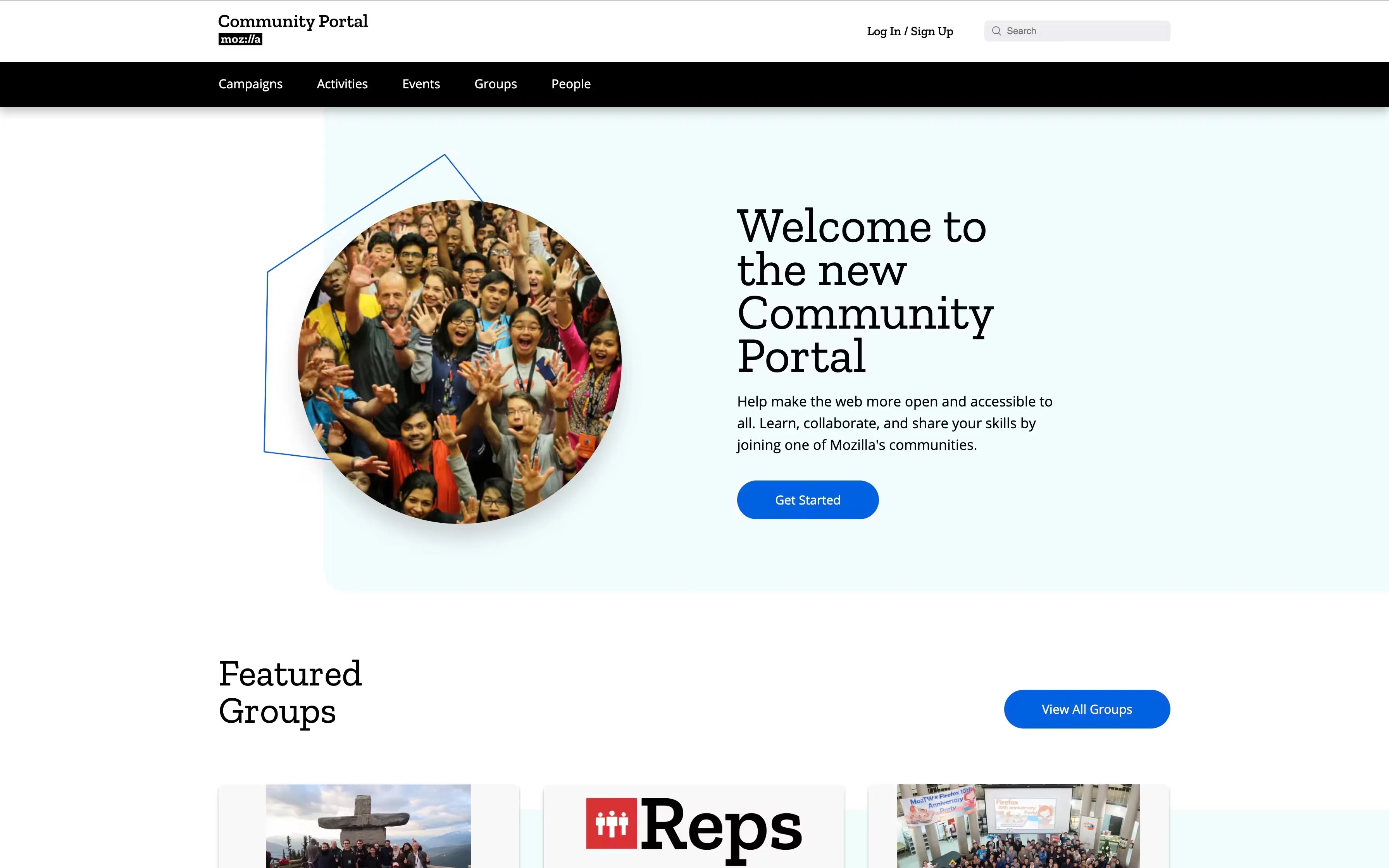
One home for the Mozilla community
The Mozilla Community Portal is where Mozilla’s volunteer community, the Mozillians, find each other, discover events and groups, and direct their effort toward Mozilla’s initiatives.
The brief was to consolidate several communication channels into a single platform that showcases events, groups and impactful campaigns. We designed it in the open: using Figma’s sharing features, we invited hundreds of community members to give feedback in real time, from the first sketches through to the final high-fidelity designs.
The problem: too many places to be a Mozillian
Mozillians needed one place where they could discover events and groups, learn about community members and initiatives, and take part in Mozilla’s campaigns and activities.
Before the portal, they were juggling four platforms to do that, and Mozilla’s Community Managers had no single place from which to communicate consistently or manage the community.
Activate
Hosting activities.
Splash
Event discovery.
Discourse
Community discussion.
Reps Portal
The Mozilla Reps programme.
Working in the open
To keep the product team and the community in step we used Slack for team communication, Mural for collaborative design exercises, and Google Workspace and Figma for sharing functional and design artefacts.
The work began with a broad exploration:
- Researching the existing platforms and breaking down the client briefings.
- Developing detailed user personas.
- Mapping current user journeys and envisioning their ideal states.
- Writing persona-based user stories, then sorting and grouping them into epics for translation into the product.
A five-day exploratory sprint
After the preliminary research we ran a focused five-day sprint built around three group exercises: persona development, user journey mapping and user story development.
The exercises were as much about transferring knowledge as producing artefacts. Mozilla’s Community Managers knew the audience intimately, and the sprint moved that knowledge into the whole team. By the end of the week we had a shared understanding of the problem space and four personas to design for.
Katya
“I’m always looking for new opportunities to gain new skills and meet new people.”
Rhea
“I have similar values to that of Mozilla’s mission. I care deeply about privacy and security.”
Ajay
“I’ve always wanted to start something, a group or meetup. I love organising and managing.”
Kirsty
“I need to target and mobilise the right contributors towards impactful campaigns.”
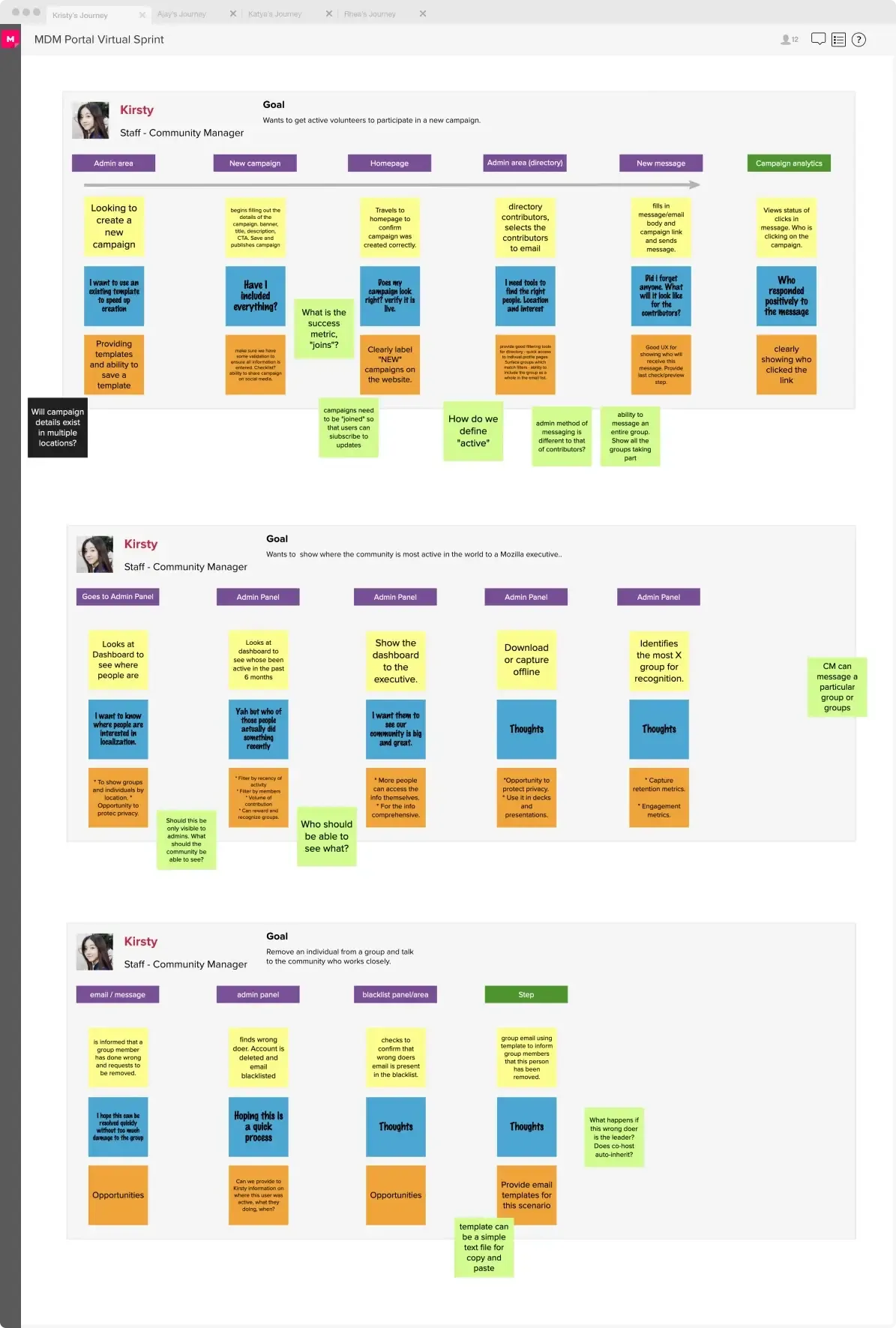
Journey mapping
We analysed how Mozillians used the existing tools to accomplish their goals: Discourse for communication, Activate for hosting activities, Splash for event discovery. For each persona we visualised their relationship with Mozilla across every touchpoint as a timeline of actions, thoughts and emotions.
Each narrative was then revised and condensed into a more accurate picture of that persona’s optimal journey.
From insights to user stories
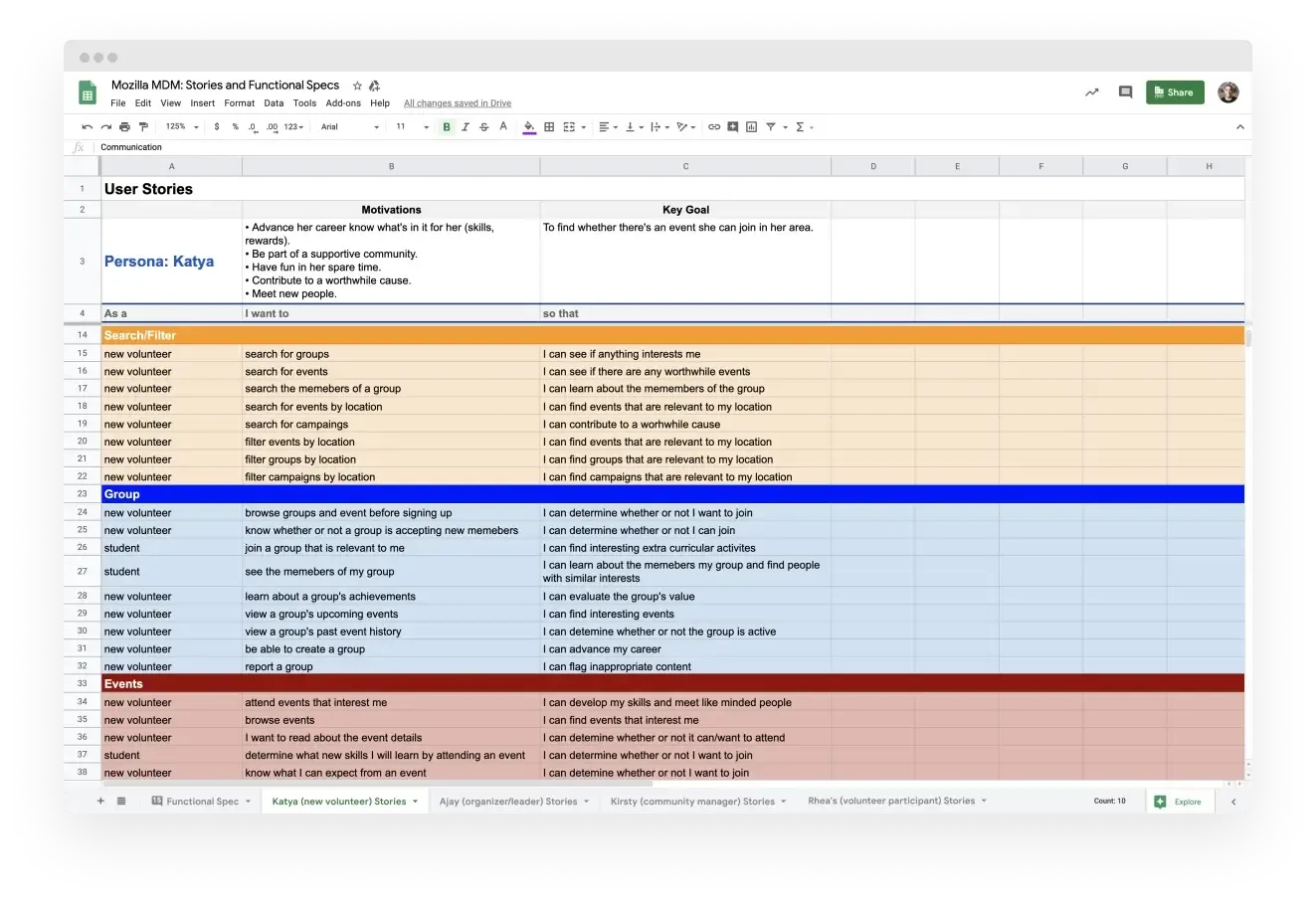
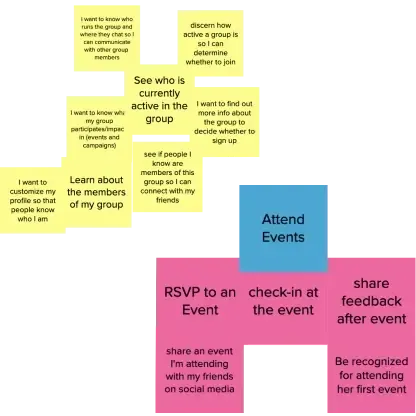
The insights were translated into a comprehensive set of user stories, and everyone on the team contributed, from community managers to developers. We worked in two passes:
- Write as much as possible. The goal was to be plentiful, not critical.
- Sort and expand. We removed redundancies, cleaned up errors and looked for patterns, then grouped related stories into epics.
Each persona had its own set of stories, managed in a shared Google Sheet the whole team could see.
From wireframes to a design system
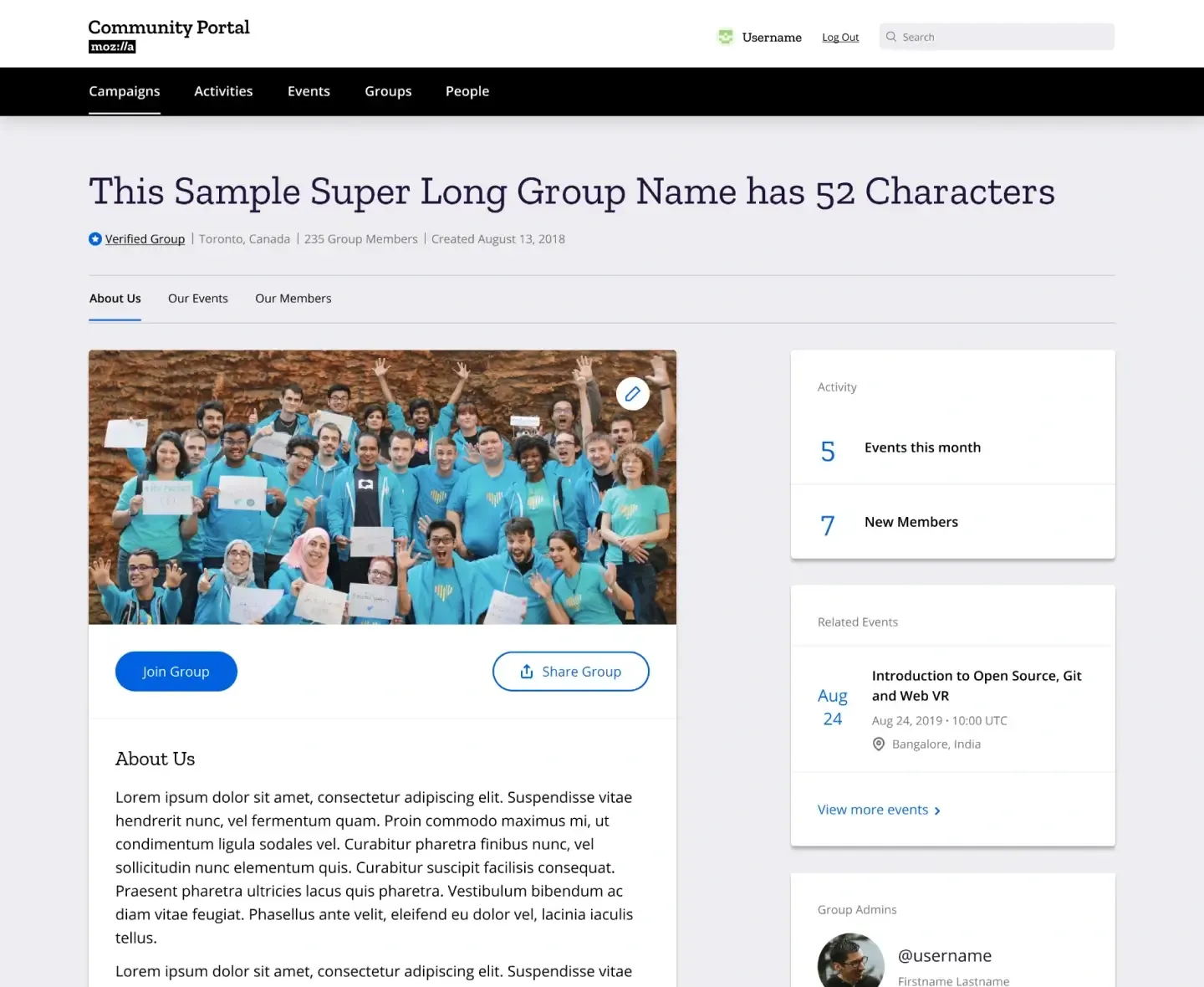
Each epic, such as Create Event or Create Group, became a series of wireframes that evolved through three stages: low-fidelity sketches to iterate quickly on concepts, mid-fidelity wireframes to refine layout and functionality, and high-fidelity screens that folded in community feedback.
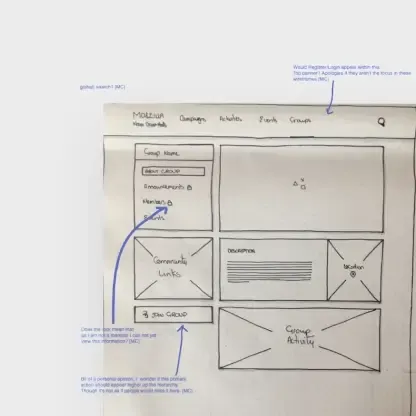
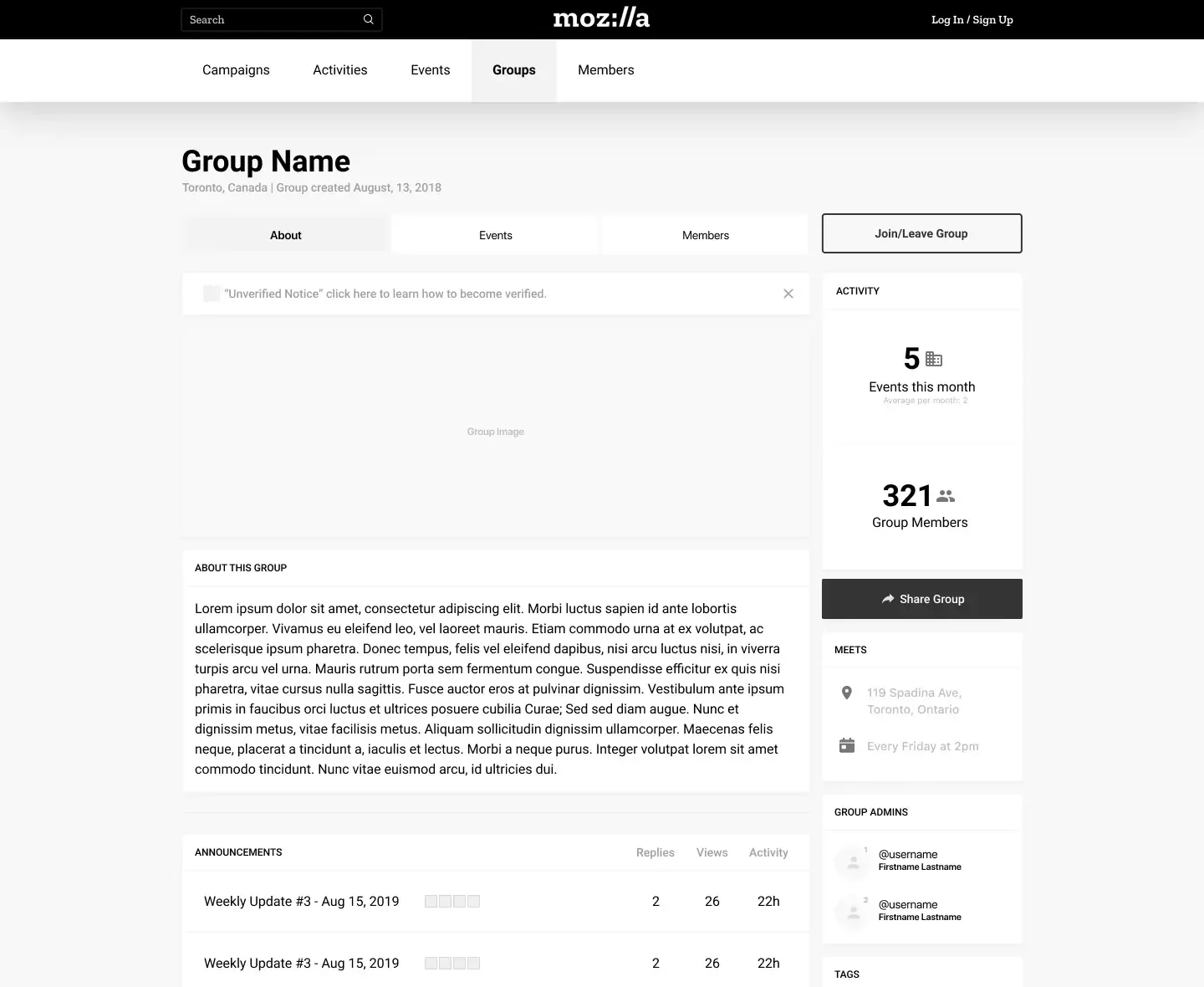
Community feedback shaped each stage. On the hand-drawn group page, one reviewer asked whether “Join group,” the page’s main action, should sit higher in the hierarchy. By the mid-fidelity version it had moved to the top of the page, and in the final design it became the page’s primary button.
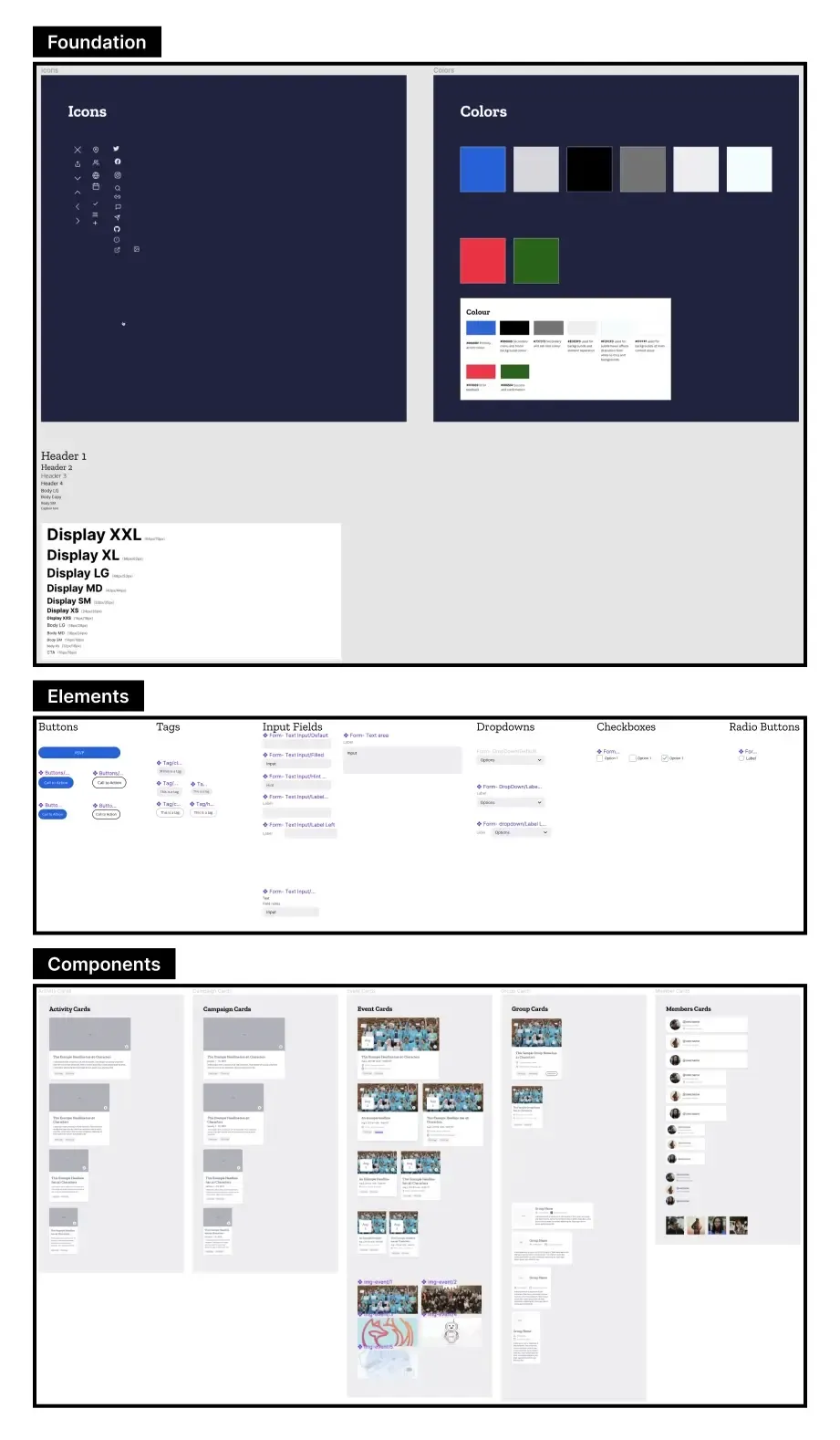
A design system was established alongside the screens so that every part of the platform, built by a team of developers over many months, stayed consistent.
The result
The Mozilla Community Portal is the central hub where Mozillians discover events, join groups and engage with Mozilla’s initiatives, and the single place from which Mozilla’s Community Managers run the community.
See it live: community.mozilla.org